Product

AI that reads your schema and documents your database

DataPilot injects real schema context before each AI request, so documentation and SQL suggestions use actual table names, columns, indexes, and relationships. Generate, review, and apply updates without copy-paste loops.

Start free 50,000 AI credits per month on Free. See pricing

Schema Documentation AI

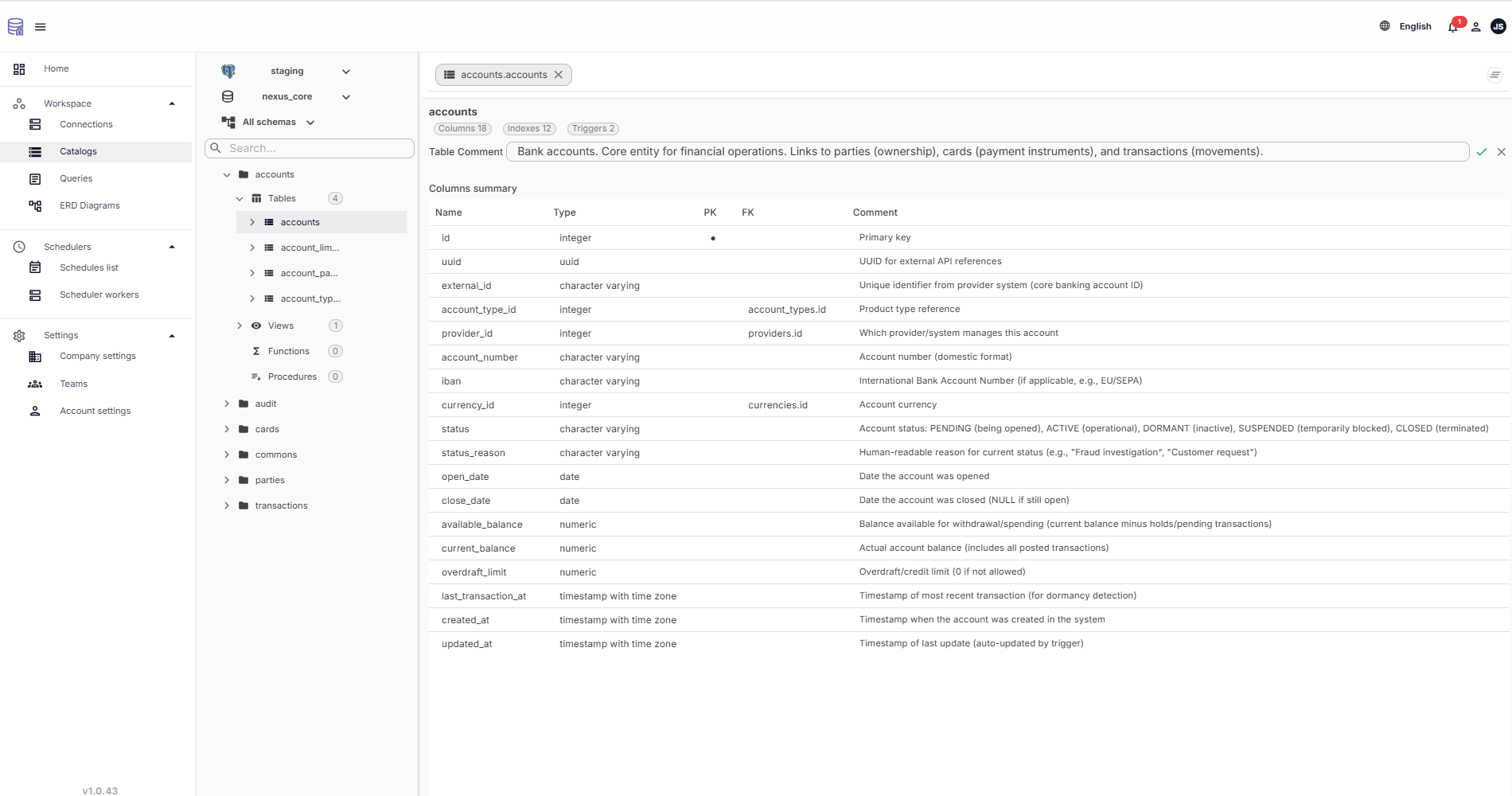
Generate and apply schema docs with DDL

The assistant reads schemas, tables, columns, data types, and relationships, then drafts publication-grade Markdown and comment updates. Review the delta and apply changes directly with ALTER TABLE and COMMENT ON statements.

Catalog AI workspace for schema documentation

Query Optimization AI

Context-aware recommendations for real SQL

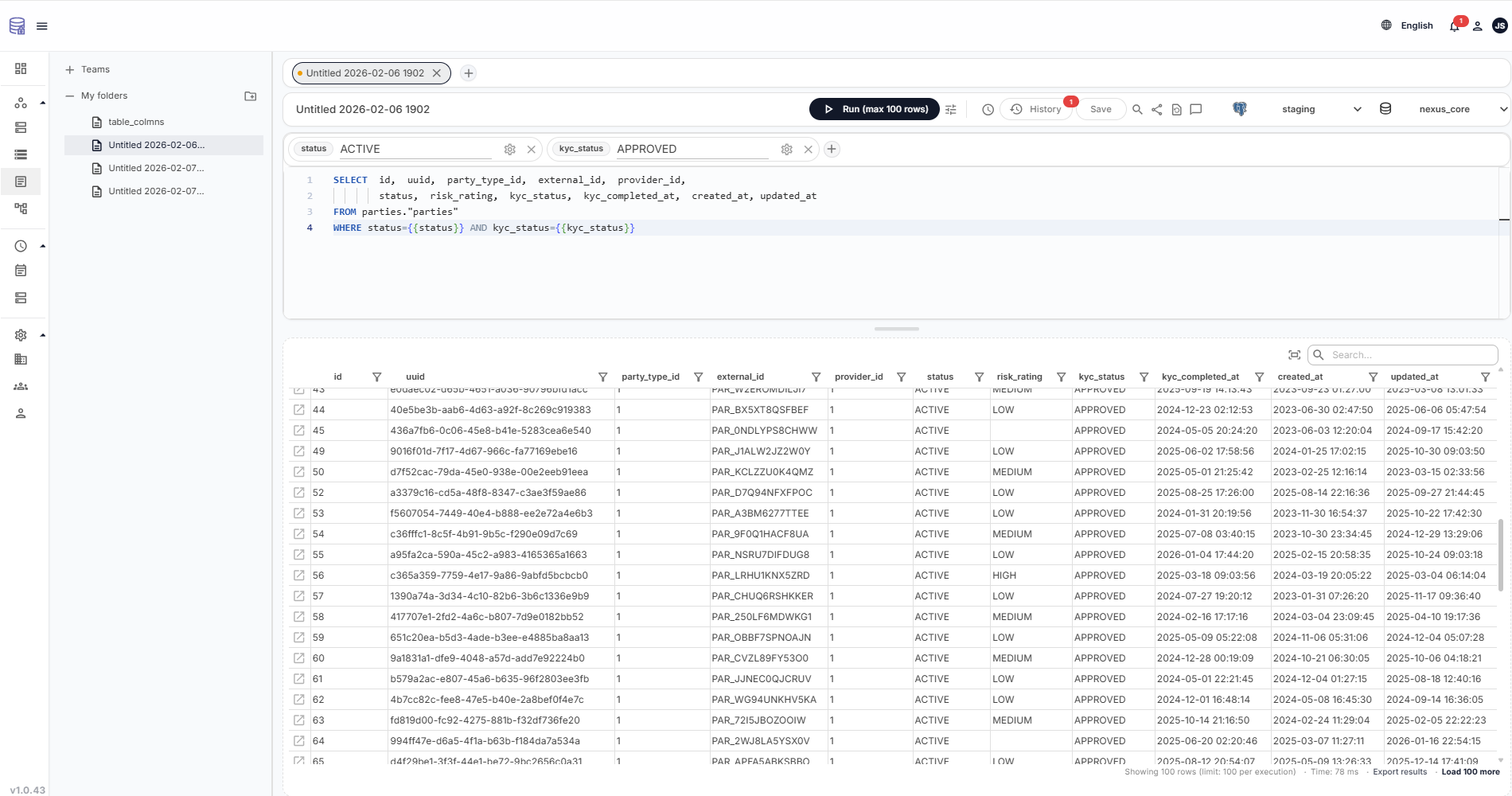
Get ranked optimization suggestions grounded in your schema, indexes, and key relationships. Use explain and optimize actions directly in the query workflow.

Query workspace with AI optimization suggestions

Fix with AI

Diagnose SQL errors with exact query context

Click Fix with AI to get a corrected query proposal using your real schema and runtime error details. No invented column names and no disconnected generic advice.

Understand This Data

Explain results for engineers, analysts, and PMs

Translate result sets into business-readable language while preserving SQL provenance. Sensitive values can be masked before explanations are generated.

AI assistant FAQs

Does the AI know my actual table and column names?

Yes. Schema context is injected before AI requests, including table names, data types, keys, and existing comments.

Does AI documentation write to the database?

Yes. After review and approval, DataPilot applies comment updates through DDL statements.

What are AI credits?

Credits measure AI token usage for documentation, optimization, Fix with AI, and result explanations.